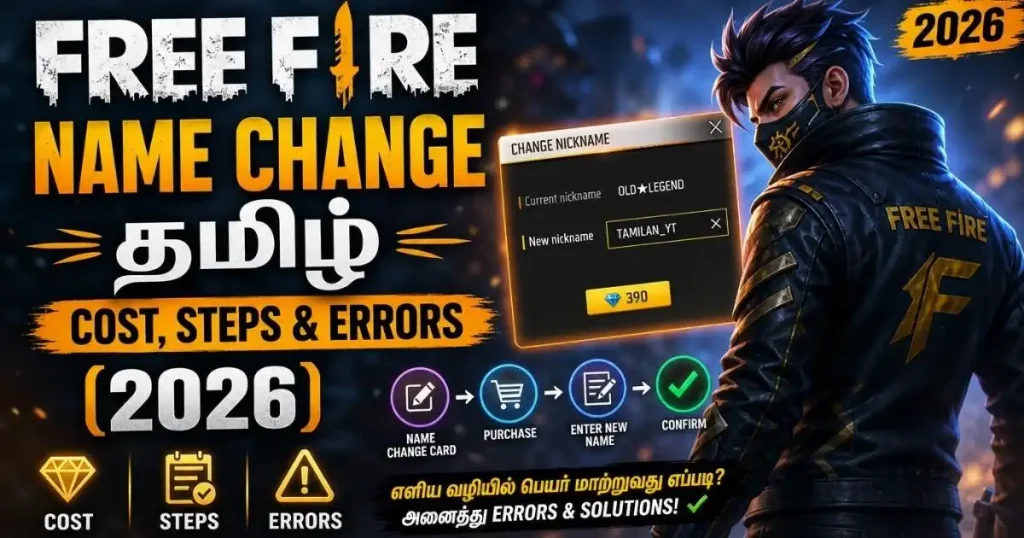
Learn how to change your Free Fire Name Change Tamil to Tamil script — rename card sources, diamond cost, character limit and fixes for every common error. Step-by-step guide.
Free Fire Name Change Tamil — Complete Overview
This is a step-by-step guide to changing your Free Fire in-game name to a stylish Tamil name — where to get a rename card, how many diamonds it costs, the character limit, and fixes for the most common errors. It is different from a name generator page: here you learn how to make the change, what it costs, and which mistakes to avoid.
How to Change Your Free Fire Name — Step by Step
Changing your in-game name (IGN) in Free Fire is simple, but you need either a rename card or diamonds in your account. Here is the complete process:
- Open Free Fire and log in to your account.
- Tap your profile avatar on the top-left corner of the lobby screen. This opens your player profile.
- Tap the yellow pencil icon next to your current in-game name. A rename dialog will open.
- Type or paste your new Tamil name. If you want a stylish name with Tamil script or symbols, copy it from our Tamil name collection and paste it directly.
- Confirm the change. The game will ask you to spend a Rename Card or 390 diamonds. Tap OK.
- Your name updates immediately — you can see it on the lobby screen, in matches, and on your friend list.
Rename Card — Where to Get One
A Rename Card lets you change your player name for free (no diamonds spent). Here are the legitimate ways to get one:
- New account bonus: Every fresh Free Fire account gets one free rename card automatically. Use it wisely — the first rename is your only guaranteed free one.
- Event rewards: Free Fire regularly runs login events, top-up events, and special festivals (Diwali, Pongal, Independence Day) where rename cards are given as milestone rewards. Watch the Events tab.
- Elite Pass: Some Elite Pass seasons include a rename card in the reward track — usually around level 30–50.
- Booyah Pass / weekly missions: Occasionally listed in the mission reward pool.
- Redeem codes: Garena releases redeem codes (through official social handles and events) that sometimes contain rename cards. Never use unofficial “generator” sites — they are scams and can get your account banned.
- In-game store: Rename cards are also sold directly in the store for diamonds. Prices vary by region.
Diamond Cost & Free Methods
Here is what you will typically pay:
| Method | Cost | Notes |
|---|---|---|
| Rename Card (from events/rewards) | Free | Best option if you have one in your inventory |
| Diamonds (direct rename) | 390 diamonds | Standard price for a personal name change |
| Rename Card purchase (store) | Varies (usually 300–390 diamonds) | Same effective price as direct rename |
| Guild Rename (separate feature) | 500 diamonds | Only the guild leader can do this |
Diamond top-up in India (approximate): 100 diamonds ≈ ₹80, 310 diamonds ≈ ₹250, 520 diamonds ≈ ₹400. So a name change costs roughly ₹300–₹320 if paid in cash. These prices change over time — check Google Play or the in-game store for the exact current pricing in your region.
Character Limit & Naming Rules
- Length: Free Fire player names can be between 4 and 12 characters. Tamil script characters and stylish symbols each count as one or two characters, depending on the symbol.
- Uniqueness: Player names must be unique. If your desired name is already taken, the game will reject it and ask you to try another.
- Allowed characters: Letters (A–Z, a–z), numbers (0–9), Tamil script (தமிழ்), Unicode symbols (♛, ★, ⚡, ꧁꧂), and most punctuation.
- Not allowed: Profanity in any language, hate speech, impersonating Garena staff or Free Fire officials, and names made only of spaces or invisible characters. These are either blocked at rename or reported later.
- Case sensitivity: Names are case-sensitive for display but not for uniqueness — “TAMIL” and “tamil” are treated as the same name.
Stylish Tamil Name — Copy-Paste Process
The reason stylish names look broken on some devices is usually the copy method. Here is the reliable workflow:
- Browse the collection: Open our Tamil name page and find a name you like.
- Tap the Copy button next to that name (do not long-press and manually select — that can strip Unicode symbols).
- Switch to Free Fire immediately, without opening any notes app, keyboard translator, or clipboard manager in between. Some third-party keyboards convert Unicode and break the name.
- Open the rename dialog (profile → pencil icon).
- Long-press the name field and select Paste. The stylish Tamil name should appear exactly as shown.
- Confirm the rename. If the game shows “invalid name” or “characters not supported”, try a shorter version or replace complex symbols with simpler ones like ★ or ⚡.
Common Errors & Solutions
Error: “Name already exists”
Cause: Another player already uses this exact name.
Fix: Add a symbol, number, or region tag at the end. For example, change TAMIL BOSS to TAMIL BOSS ⚡ or TAMIL BOSS 47.
Error: “Name contains invalid characters”
Cause: A symbol you copied is not on Free Fire’s allowed list, or your keyboard replaced a character during paste.
Fix: Use only Copy buttons on trusted sites (avoid manual selection). Replace rare symbols with proven ones: ♛ ★ ⚡ ⚔ ☬ ꧁ ꧂ ༺ ༻ 彡 all work reliably.
Error: “Name too long” or “Too many characters”
Cause: You exceeded the 12-character limit. Some decorative symbols count as two characters each.
Fix: Trim the name. Remove one or two decorations. Prefer short names from our Short Tamil Names section.
Error: Name shows as ???? or □□□□ after the change
Cause: Your Free Fire version or your device font does not render that specific Unicode character.
Fix: Update Free Fire to the latest version. Update your Android or iOS system. If it still fails, switch to a name that uses more common Tamil script and standard symbols only.
Error: “Insufficient diamonds” but you have a Rename Card
Cause: The Rename Card is in your inventory but not being detected — usually a UI refresh issue.
Fix: Fully close Free Fire (swipe it from recents), reopen, and try again. Check your inventory (Vault → Cards) to confirm the Rename Card is there.
Error: Rename button greyed out
Cause: Your account level is too low. Some servers restrict rename until level 5.
Fix: Play a few more matches to level up. Once you cross the threshold, the rename option unlocks automatically.
Frequently Asked Questions
How many times can I change my Free Fire name?
There is no lifetime limit. You can rename as many times as you like, as long as you have a Rename Card or 390 diamonds available for each change. However, changing your name too often can confuse your friends and guild members.
Is there a free rename card in Free Fire?
Yes — every new account gets one free rename card automatically. After that, you can earn more through in-game events, Elite Pass rewards, or the Booyah Pass. Free rename cards from “generator” websites do not exist and are scams.
Can I use Tamil script (தமிழ்) in my player name?
Yes. Free Fire fully supports Unicode, including Tamil script. Copy the name from our Tamil name collection and paste it directly into the rename dialog. Make sure your device has a Tamil font pack installed (most modern Android and iOS devices do by default).
What is the difference between a guild name and a player name?
Your player name is your personal in-game identity — it shows up in matches, friend lists, and leaderboards. Your guild name is your clan’s identity — it shows on the guild page and is visible to members and rivals. Player names cost 390 diamonds to change; guild names cost 500 diamonds and can only be changed by the guild leader.
Why is my Tamil name change failing?
The most common reasons are: the name is already taken, the length exceeds 12 characters (some symbols count as two), or a rare Unicode symbol is not supported. Try a shorter name, use only common decorative symbols (♛ ★ ⚡ ꧁꧂), and copy directly from a trusted source without going through third-party keyboards.
Can I get back my old name after changing it?
Only if no other player has taken it in the meantime. Free Fire does not “reserve” your previous name after a rename. If your old name is still available, you can rename back to it (using another Rename Card or 390 diamonds).
Does changing my name reset my stats or rank?
No. Your rank, stats, K/D ratio, wins, and all cosmetics are tied to your account UID, not your display name. A rename only changes how your name appears to others.
Where do I find my new Free Fire name after the change?
The new name appears immediately on the lobby screen (top-left, next to your avatar). It also updates in your profile, on the friend list, and in any match you enter after the change. Friends may need to refresh their friend list to see the new name.
Is name change available in all Free Fire versions?
Yes — the rename feature is available in both regular Free Fire and Free Fire MAX, on all servers (India, SEA, Bangladesh, and others). The process and cost are the same.