
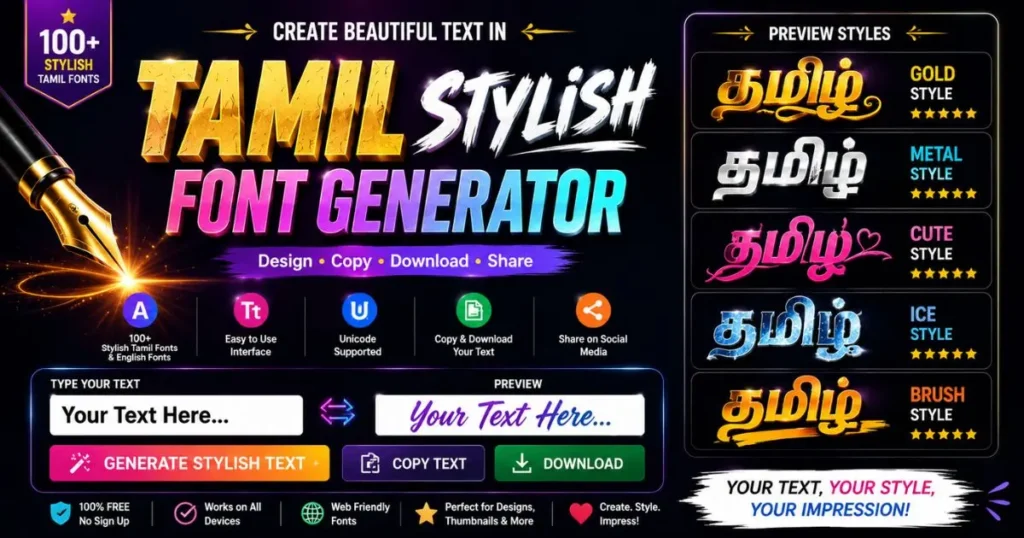
Type any Tamil name or sentence and get 400+ tamil font style variations instantly. Copy paste stylish tamil fonts into Instagram, WhatsApp, Free Fire, BGMI, PUBG or YouTube — or download as PNG for posters, invitations and tattoo designs.
New here? Start with our main Tamil Font Generator homepage for the complete experience.
📋 Table of Contents
Why Plain Tamil Text Never Gets Noticed
Open Instagram right now and look at ten Tamil profiles. Nine of them will have their name written in plain Tamil — பிரியா, ராஜா, கவிதா. Nothing wrong with it. But nothing memorable either. The eye slides past it.
Now imagine the same name written as ꕤ பிரியா ꕤ or ★彡ராஜா彡★ or ꧁☬ கவிதா ☬꧂. Suddenly it stops you. That half-second pause is the entire difference between a profile people scroll past and a profile people tap on. This is what a good tamil font style does — it does not change your words, it changes how much attention they get.
Our stylish tamil font generator exists to make that transformation take fifteen seconds instead of thirty minutes. It is a tamil font style online tool, which means there is nothing to install and nothing to buy — you open the page and it works. You type your text once. The tool immediately renders it in more than four hundred different Tamil styles, sorted into twenty-four categories so you never have to scroll through hundreds of options you do not need. Want a gaming clan tag? One tab. Want a soft aesthetic look for an Instagram bio? Another tab. Want temple-style calligraphy for a wedding card? Another tab.
Here is a real example of how people use it. A student in Coimbatore wants her Instagram bio to feel personal. She types kavitha in plain English — she does not have a Tamil keyboard on her phone. The tool converts it to கவிதா automatically. She taps the Instagram category, sees around twenty-eight soft aesthetic options, picks ꕤ கவிதா ꕤ, hits Copy, opens Instagram, and pastes it into her bio. Total time: under twenty seconds. Zero design skill required.
The same twenty seconds work for a Free Fire player choosing a clan tag, a YouTuber naming a Tamil cooking channel, a bride designing an invitation in Canva, or someone planning a tattoo of the word அம்மா. One tamil stylish name maker, one input box, four hundred outcomes, and nothing to install at either end.
Everything here is free — no account, no email, no daily limit, no watermark on downloads. Explore all 400+ tamil font styles on our homepage. Type your Tamil text or Thanglish name in the box above and start browsing. The rest of this page explains exactly how it works, what each feature does, who it is built for, and how it compares to every other Tamil font tool available online.
How the Tamil Font Style Generator Works — Step by Step
There is no learning curve here. If you can type your own name, you can use this tamil font maker. But there are a few small things most people miss on their first visit, so here is the complete walkthrough with a real example running through every step.
Type Your Text — In Tamil or in English
The input box sits at the very top of this page with a தமிழ் / English toggle beside it. If you have a Tamil keyboard, type directly: ராஜா. If you do not — and most people on phones do not — just type it phonetically in English: raja, vanakkam, priya kavitha. The tool converts it to Tamil Unicode as you type.
There are also one-tap shortcut chips right under the box. The trending row has common Tamil names and words like வீரன், தலைவா, மாஸ்டர், சிங்கம் and கபாலி. The calligraphy row has phrases people search for constantly — அம்மா, அப்பா, காதல், ஓம் நமசிவாய, இனிய பொங்கல். Tap any chip and it fills the box instantly.
Browse 400+ Generated Stylish Tamil Font Styles
The moment you stop typing, the generator produces every style at once and displays them as cards. Each card shows the style name — Devil Wings, Aesthetic Cloud, Royal Crown, Temple Script — and your own text rendered in it, so you are judging the real thing, not a sample.
Twenty-four category tabs sit above the results: 3D Premium, Calligraphy, Handwriting, Wedding, Tattoo, Gold & Metallic, Neon & Glow, Gaming, Attitude, Kollywood, Slang, God, Love, Sad, Symbols, Stylish, Instagram, WhatsApp, Birthday, Royal, Fancy, Cute, Decorative and Unicode Fonts. Tap one and the list filters instantly. There is also a Favourites tab where you can save styles you keep coming back to.
Add Symbols, Emoji or Kaomoji (Optional)
Below the input there are three pickers — Symbols (★ ☬ ꧁ ⚔ ♛), Emoji, and Kaomoji like (◕‿◕). Click any item and it drops straight into your text at the cursor. This is how people build genuinely one-of-a-kind names instead of using the same preset everyone else has.
Example: start with வீரன், tap the crossed-swords symbol twice, tap the fire emoji, and you have ⚔🔥 வீரன் 🔥⚔ — a gaming tag that did not exist in any preset list.
Customise Size, Colour and Background
The Customize panel is optional — the defaults already look good. But if you are making an image rather than copying text, this is where the real control is. Adjust text size with the slider, pick a text colour (or open the custom colour picker for an exact hex value), and choose a card background.
Beyond solid colours there are twenty-five background patterns split into Premium and Classic sets — Royal Velvet, Teal Luxury, Golden Bokeh, Aurora Mesh, Emerald Kolam, Carbon Metal, Sunset Blaze, Stars Galaxy, Rose Marble, Blue Diamond, plus Sunburst, Spotlight, Halftone, Confetti, Synthwave, Marble, Kolam and more. Whatever you choose here is exactly what appears in your downloaded image.
Copy, Download PNG/JPG, or Share
Every card has four buttons. Copy puts the styled text on your clipboard for pasting into any app. PNG and JPG download it as an image using your chosen colours and background. Share opens your phone’s share sheet — WhatsApp, Telegram, Instagram DM — with the text already filled in.
Use Copy for anything that accepts text: Instagram bio, WhatsApp status, Free Fire name, YouTube title, Facebook post. Use PNG or JPG when you need an image: story graphics, thumbnails, posters, wedding cards, or a reference sheet for a tattoo artist.
What Is Actually Happening Behind the Scenes
It helps to understand this, because it explains why the stylish tamil fonts work everywhere. These are not fonts in the traditional sense. Nothing gets installed on your device, and your followers do not need to install anything either.
What the tool does is map your Tamil letters to decorative characters and frames that already exist inside Tamil Unicode — the same global character standard that gives us emoji. When you copy ꧁☬ ராஜா ☬꧂, you are copying ordinary text characters. That is precisely why it survives being pasted into Instagram, WhatsApp, Free Fire, YouTube, Facebook and every other app, and why it renders identically on an Android phone, an iPhone, a Windows laptop and a Mac.
The Unicode Fonts category works slightly differently — those use real Tamil typefaces such as Noto Sans Tamil and Catamaran for on-screen rendering, which makes them ideal for PNG downloads and design work rather than copy-paste. For nickname generation, celebrity name templates and festival greetings, visit our Tamil Font Empire homepage.
Every Feature Explained in Detail
A long feature list is easy to write and easy to ignore. So instead of listing them, here is what each feature of this tamil font style generator actually does, when you would reach for it, and why it exists at all.
🎨 400+ Styles Across 24 Categories
Most sites offering a tamil letters font style collection stop at twenty to fifty options. That number sounds fine until you realise none of them are organised, so finding the right one means scrolling through everything. Here the collection is large and sorted — twenty-four named categories, each built around a real situation. Gaming for clan tags. Wedding for invitations. Tattoo for body art. Kollywood for film-style lettering. You go straight to what you need.
⌨️ English to Tamil Typing (Thanglish)
This is the feature that makes the tool usable for most people. The majority of Tamil users worldwide have never installed a Tamil keyboard. Type vanakkam and get வணக்கம். Type kadhal and get காதல். Type iniya pirantha naal and get இனிய பிறந்தநாள். The conversion runs live as you type, and a தமிழ்/English toggle lets you switch off if you prefer typing natively. Without this tamil font converter, a Tamil font tool is unusable for anyone outside Tamil Nadu who never learned Tamil typing.
🎮 Free Fire Mode
Free Fire caps in-game names at twenty characters, and decorative symbols count towards that limit. Nothing is more frustrating than picking a gorgeous style and finding the game rejects it. Turn on Free Fire mode and any generated name over twenty characters is highlighted immediately, so you only browse styles that will actually work. No other tamil fancy fonts tool does this.
✨ Symbol, Emoji and Kaomoji Pickers
Presets get you ninety percent of the way. These pickers get you the last ten. Three separate pickers — decorative symbols, emoji, and Japanese-style kaomoji faces — insert characters directly into your text at the cursor position. Build a combination nobody else has, then apply a style on top of it. This is how a name goes from “nice preset” to genuinely yours.
🖼️ PNG and JPG Download
Copy-paste covers text fields. It does not cover posters, thumbnails, story graphics or printed cards. Every style card can be downloaded as a PNG or JPG carrying your exact chosen colours and background. PNG for design layering, JPG for smaller files and quick sharing. Everything renders in your own browser, so nothing you type is ever uploaded to a server.
🌈 25 Background Patterns
A flat colour behind Tamil text looks fine. A texture behind it looks designed. The Premium set includes Royal Velvet, Teal Luxury, Golden Bokeh, Aurora Mesh, Emerald Kolam, Carbon Metal, Sunset Blaze, Stars Galaxy, Rose Marble and Blue Diamond. The Classic set adds Sunburst, Spotlight, Halftone, Stars, Bokeh, Confetti, Stripes, Hex Mesh, Fabric, Grunge, Velvet, Synthwave, Marble, Carbon and Kolam. Emerald Kolam and the Kolam pattern in particular are drawn from traditional Tamil floor art — a detail no generic international font tool bothers with.
🎯 Full Colour and Size Control
Preset text and background colours cover the common cases, and a custom colour picker handles the rest — enter an exact hex code to match a brand palette, a channel theme or an existing design. The size slider scales from small preview sizes right up to poster dimensions, and it scales your PNG and JPG exports proportionally, so a downloaded image stays sharp at print size.
⚡ One-Tap Trending and Calligraphy Chips
Two rows of shortcut chips sit under the input. The trending row carries names and words people generate most — வீரன், ராஜா, தலைவா, மாஸ்டர், சைக்கோ, ரவுடி, மவனே, சிங்கம், கபாலி, பிரியா. The calligraphy row carries meaningful phrases — அம்மா, அப்பா, காதல், ராம் ❤ சீதா, திருக்குறள், இனிய பொங்கல், இனிய தீபாவளி, ஓம் நமசிவாய, அன்பு. Tap once instead of typing, especially useful for the longer festival greetings.
📱 Built for Phones First
The overwhelming majority of people generating stylish tamil fonts are on a phone, often on mobile data. Cards run full width on small screens, buttons are sized for thumbs rather than mouse pointers, and the page is built to stay light so it opens quickly on ordinary connections in Tamil Nadu, Chennai, Coimbatore, Madurai, Sri Lanka and everywhere the Tamil diaspora lives.
🔒 Nothing You Type Is Stored
Every part of the generation, styling and image export happens inside your own browser. Your text is never sent to a server, never logged, never stored. There is no account to create, no email to hand over, no phone number to verify. The only thing saved is your colour and size preference, kept locally on your own device so the tool remembers your setup next visit.
❤ Favourites
With four hundred styles, the ones you love are easy to lose. Mark any style as a favourite and it collects in a dedicated tab. Content creators who post daily end up with a personal shortlist of six or seven styles and stop browsing entirely — they go straight to Favourites, type, copy, done.
💬 Direct Share Button
Copy and paste is two apps and four taps. The Share button on each card is one. It opens your device’s native share sheet with the styled text already loaded, so a birthday greeting or Pongal wish goes straight to a WhatsApp contact or an Instagram DM without you ever touching the clipboard.
🏠 Complete Font Library
This page shows detailed features, but our main Tamil Font Empire homepage has the complete library with celebrity name templates, nickname generator, festival greetings and 400+ styles all in one place.
What You Actually Gain by Using It
Features describe the tool. Benefits describe what changes after you start using a tamil font style generator seriously. Here is the honest version of both.
Half an Hour Back, Every Time
Building a styled Tamil name by hand means hunting Unicode symbol tables, copying pieces one at a time, and testing whether they survive a paste. Realistically that is twenty to thirty minutes. Here it is a few seconds.
Genuinely Zero Cost
Commercial Tamil typefaces are sold per font, and mobile font apps run monthly subscriptions for their better styles. This tool has no premium tier, no locked categories and no watermark on downloads.
Nothing to Install
No app taking up storage, no permissions to grant, no updates to manage. It runs in any browser — Android, iPhone, iPad, Windows, Mac, Linux — and works the same on all of them.
Your Text Stays Private
Names, wedding details, personal messages — none of it leaves your device. No account, no email, no tracking of what you type.
Works Without Tamil Typing
Second and third generation Tamil families abroad often speak Tamil but cannot type it. Thanglish input removes that barrier completely.
Profiles That Get Noticed
A stylish tamil font interrupts the scroll. That extra half-second of attention is the whole point for creators, gamers and small businesses competing for the same feed space.
The Benefit Nobody Talks About: Cultural Presence
There is something worth saying plainly. Tamil is spoken by tens of millions of people across Tamil Nadu, Sri Lanka, Singapore, Malaysia, the Gulf, Europe, North America and Australia — and almost every digital tool built for text styling was designed for Latin script first, with everything else treated as an afterthought.
Writing your name in a beautiful tamil name font style on a platform where nearly everyone writes in English is a small act of presence. It says who you are before you have said anything at all. That is why the calligraphy chips include அம்மா and அப்பா and ஓம் நமசிவாய rather than only trendy gaming words — because a large share of what people generate here is not decoration, it is identity.
A Practical Benefit for Designers
If you produce Tamil graphics regularly, the specific time-saver is not the styles — it is the export pipeline. Set your colour, set your background pattern, set your size, download, drop it into Canva or Photoshop as a layer. No font licensing to verify, no typeface to install on a client machine, no rendering surprises when the file opens somewhere else. For social graphics, festival posters and invitation cards, that removes an entire category of small problems.
12 Real Situations Where People Use This Tool
These are not hypothetical. They are the patterns that show up again and again in how the tool gets used.
1. 📸 Instagram Bio and Name
The single most common use. A soft aesthetic tamil font style on the first line of a bio, followed by ordinary English lines. The contrast is what makes it work — tamil font style copy paste instagram only looks good when the styled part is the exception, not the whole bio. Deeper guidance on our Instagram Tamil font page.
2. 💬 WhatsApp Name and Status
WhatsApp allows twenty-five characters for a profile name and around one hundred and thirty-nine for the About text. Short decorated names fit the first; festival greetings and quotes fit the second. See the WhatsApp Tamil font page for what fits where.
3. 🎮 Free Fire, BGMI and PUBG Names
Gaming is the second-largest use case by volume. Clan tags, warrior symbols, skull and dragon frames for Free Fire, BGMI, PUBG Mobile and Call of Duty. Free Fire mode exists specifically because the twenty-character limit trips people up constantly. Full guidance on the Free Fire and BGMI pages.
4. ▶️ YouTube Channel Names and Thumbnails
A Tamil channel name in a decorated style signals the content language instantly in search results and suggestions — before anyone reads the description. The Gold & Metallic and Neon & Glow categories exist mostly for thumbnail text, downloaded as PNG at large size.
5. 🖤 Tamil Tattoo Designs
A dedicated Tattoo category plus the Calligraphy set. People generate அம்மா, அப்பா, காதல், a child’s name or a date, download it at large size as a PNG, and hand it to their tattoo artist as reference. A tamil tattoo font style needs to be legible at small physical size, which is why the tattoo styles avoid busy frames.
6. 💍 Wedding Invitations
The Wedding category carries ring, floral and paired-name frames. Generate the couple’s Tamil names — ராம் ❤ சீதா — as a PNG on Royal Velvet or Rose Marble, then place it into your invitation layout in Canva. Works for save-the-dates, WhatsApp invites and printed cards.
7. 🎂 Birthday and Festival Greetings
இனிய பிறந்தநாள் வாழ்த்துக்கள் in a decorated frame lands very differently from plain text in a family group. The Birthday category covers birthdays, Pongal, Karthigai Deepam, Diwali, Vinayagar Chaturthi and Tamil New Year. Tap a calligraphy chip, pick a style, hit Share.
8. 🙏 Devotional and Temple Content
The God category and temple-script calligraphy styles are used for ஓம் நமசிவாய, deity names and prayer lines — for status images, temple event posters and devotional page banners. A calligraphy tamil font style suits this far better than a gaming frame.
9. 🎬 Kollywood and Fan Pages
The Kollywood and Slang categories are the most distinctly Tamil part of the tool. Film-poster lettering for words like தலைவா, மாஸ்டர், ரவுடி and சிங்கம் — exactly what fan pages, meme accounts and Reels creators reach for.
10. 🏪 Shop Signs and Local Business Branding
Small Tamil businesses use decorated names for storefront boards, business cards, WhatsApp Business profiles and Google Business listings. Royal and Handwriting styles read as professional rather than playful. Downloaded at large size, a PNG goes straight to a signboard printer.
11. 📝 Tamil Blogs, Facebook Posts and Newsletters
Bloggers use decorated Tamil in headings and email subject lines. A styled subject line in a crowded inbox measurably lifts open rates. Because the output is text, it survives every email client and Facebook post without becoming an image.
12. 🎓 Teaching Materials and Kids’ Names
Tamil teachers use large decorated letters for flashcards and slides. Parents generate a child’s tamil name font style for name labels, birthday banners and school project covers — often paired with a Cute category style. Perfect for both tamil font style for boys and tamil font style for girls. Perfect for both tamil font style for boys and tamil font style for girls.
Who This Tool Is Built For
Six clear groups get the most out of a tamil font style tool, and each one uses a different corner of it.
🎬 Content Creators and YouTubers
Channel names, thumbnail text, Reels overlays, banner art. Creators lean hardest on the Gold & Metallic, Neon & Glow and 3D Premium categories with large PNG exports. The Favourites tab matters most here — daily publishers settle on a handful of signature styles and stop browsing entirely, which keeps their branding consistent across every upload.
🎮 Mobile Gamers
Free Fire, BGMI, PUBG Mobile and Call of Duty Mobile players. The Gaming and Attitude categories plus Free Fire mode were built for exactly this group. Clan leaders also use it for guild names, where a consistent Tamil tag across every member’s name is the entire point.
🎓 Students and Young Users
The largest group by raw numbers. Instagram bios, WhatsApp profiles, group names, close-friends stories. It matters that the tool is free and light, because this audience is often on a basic Android phone with a limited data plan — which is why nothing here requires an app download.
🏪 Small Business Owners
Shop names, signboards, price cards, WhatsApp Business profiles, Google Business listings and festival promotions. For a Tamil business serving a Tamil neighbourhood, branding in Tamil is not decoration — it is how customers recognise you as local.
💻 Designers and DTP Operators
Graphic designers, print shops and desktop-publishing operators producing Tamil posters, invitations, banners and packaging. Try our PicsArt Tamil Fonts for photo editing needs. This group cares almost entirely about the export path: custom hex colours, background patterns, large sizes and clean PNG output that drops into Photoshop, CorelDRAW, Illustrator or Canva as a layer.
🌏 The Tamil Diaspora
Tamil families in Singapore, Malaysia, the Gulf, the UK, Canada, the US and Australia. Many speak Tamil fluently but never learned to type it. Thanglish input is the whole reason this group can use the tool at all, and festival greetings are what they generate most.
Beginner or Advanced — Both Are Covered
If you are here for the first time, you need three things: the input box, a category tab, and the Copy button. Ignore everything else. You will have a styled Tamil name in under twenty seconds.
If you use this weekly, the depth is where the value sits: the symbol and kaomoji pickers for building combinations nobody else has, custom hex colours to match a brand palette, background patterns and large-size PNG export for design work, Free Fire mode for character limits, and Favourites so your signature styles are always one tap away. The tool does not force the complexity on you — it just does not run out when you need more.
Honest Comparison With Other Tamil Font Tools
Search for a tamil style font generator and you will find half a dozen options, all of them free — so cost is not the deciding factor. What actually separates them is depth, organisation and whether they were built for Tamil specifically or had Tamil bolted onto a generic engine. Here is a fair look at how our tool compares to typical alternatives.
| Feature | Tamil Font Empire | Typical Tamil Font Sites | Legacy Font Sites | General Text Tools |
|---|---|---|---|---|
| Copy-paste Unicode styles | 400+ | 20-50 | Limited | Image only |
| Organised categories | 24 | None | Few | None |
| English → Tamil typing | ✅ | Partial | ✅ | ❌ |
| Gaming character-limit mode | ✅ | ❌ | ❌ | ❌ |
| Symbol / emoji / kaomoji picker | ✅ | ❌ | ❌ | ❌ |
| Background patterns | 25 | ❌ | Solid only | Few |
| Custom hex colour | ✅ | Limited | ✅ | ✅ |
| PNG / JPG download | Both | PNG only | PNG | PNG |
| Direct share button | ✅ | ❌ | ❌ | ❌ |
| Kollywood / Slang / God styles | ✅ | ❌ | ❌ | ❌ |
| Kolam / Traditional backgrounds | ✅ | ❌ | ❌ | ❌ |
| Cost | Free | Free | Free | Free |
Where Other Tools Genuinely Win
It is worth being honest here. Legacy font sites that offer downloadable Bamini TTF files serve a genuinely different need — desktop publishing operators who need an actual font file installed in CorelDRAW or InDesign. If that is your workflow, they solve a problem this tool does not.
Similarly, general text-styling sites that cover dozens of scripts have broader coverage if you need Hindi, Arabic and Chinese all in one place. But their Tamil support is typically generic — Tamil is one of many languages they serve, so nothing is tuned for Tamil specifically.
Where Tamil Font Empire Wins
The advantage here is not just volume — it is that the collection is built around Tamil life rather than translated from a generic template. No international font tool has a Kollywood category, a Slang category, a God category, or a Kolam background pattern, because those only make sense if the tool was designed for Tamil users from the start.
The practical differences follow from that. Twenty-four sorted categories mean you reach the right style in one tap instead of scrolling. Free Fire mode means a gaming name never gets rejected for length. The symbol and kaomoji pickers mean you can build combinations that do not exist in anyone’s preset list. Twenty-five background patterns mean a downloaded image looks designed rather than default.
The straight answer: if you need an installable Bamini TTF file for print software, use a legacy font download site. For everything else — copy-paste stylish tamil fonts for social media and gaming, image exports for design work, and the largest organised Tamil style collection available — this tool goes deeper than any of them.
All 24 Style Categories Explained
Each tamil letters font style group below exists because a real set of people kept asking for it. Here is what sits inside each one and when to use it.
Eight more categories complete the set. 3D Premium adds depth and extrusion effects for thumbnails and posters. Handwriting gives a personal, hand-drawn feel suited to quotes and captions. Gold & Metallic covers gold, silver, chrome, rose gold and bronze finishes for premium branding. Attitude carries bold, sharp frames popular for gaming and boys’ bios. Slang holds everyday Tamil expressions styled for meme pages. Love and Sad group emotional themes used for status posts and lyric graphics. Symbols is a pure decorative-character set for building your own combinations from scratch.
Tamil Font Style for Designers, Printers and DTP Work
There is an important distinction that trips up a lot of people searching for Tamil fonts, and it is worth explaining properly because choosing the wrong one wastes hours.
Unicode Styles vs Legacy Font Files — Which Do You Need?
Unicode styles are what this generator produces. They are text. You copy them and paste them anywhere — Instagram, WhatsApp, Free Fire, YouTube, a browser, a document. They need no installation from you or from the person reading them, and they render identically on every device. If your destination is a text field, this is what you want, every time.
Legacy font files — Bamini being the best known — are actual TTF files you install on a computer. They were built before Tamil Unicode was widely supported, and they map Tamil letters onto English keyboard positions. They still matter in print and DTP work because many older Tamil publishing templates were built with them, and some designers prefer their letterforms. If you need to install a typeface into CorelDRAW, Photoshop or InDesign, that is a Bamini-style requirement.
The two are not interchangeable. Bamini text pasted into Instagram appears as scrambled English letters, because the receiving device has no Bamini installed. This is the single most common Tamil font mistake, and it is why we keep this generator focused on Unicode — text that works everywhere for everyone.
Getting Print-Quality Output From This Tool
You can still produce a professional print-ready tamil font style here without any font file at all. The workflow is straightforward.
- Type your Tamil text and pick a style — Calligraphy, Royal, Handwriting or Gold & Metallic tend to suit print best.
- Open the Customize panel and push the size slider high. Larger export means more pixels, which is what print needs.
- Set your text colour with the custom hex picker so it matches the rest of your layout exactly.
- Choose a background — a solid colour, or a pattern like Royal Velvet, Marble or Emerald Kolam if the text is the whole design.
- Download as PNG, then place it as a layer in Canva, Photoshop, Illustrator or CorelDRAW.
For invitation cards, festival posters, shop banners and thumbnails this is genuinely faster than font installation, and it removes licensing questions entirely — you are placing an image you generated, not distributing a typeface.
Specialised Tamil Font Style Pages
The same generator, tuned for specific needs — with guidance on character limits, platform quirks and which styles work best in each context.
Frequently Asked Questions
1. What exactly is a Tamil font style?
A tamil font style is a decorated version of ordinary Tamil text, built using symbols and frames that already exist in Unicode. Plain ராஜா becomes ꧁☬ ராஜா ☬꧂ or ★彡ராஜா彡★. The Tamil letters themselves do not change — only the decoration around and between them.
This matters because it means the result is still plain text. It can be copied, pasted, searched and sent anywhere, and it displays the same on every device without anyone installing anything.
2. How do I copy paste a Tamil font style?
Type your text in the box at the top of this page — Tamil script or English phonetics both work. The styles generate immediately. Find one you like, press Copy on that card, then open your destination app, long-press the text field and choose Paste.
That is the whole process for tamil font style copy paste, and it works identically for Instagram bios, WhatsApp status, Free Fire names, YouTube titles, Facebook posts and comment boxes.
3. Is this Tamil font style generator free?
Yes, entirely. Every tamil font style online feature here is free — no account, no email, no payment, no daily limit and no premium tier. Every category, every background pattern and every PNG or JPG download is available to everyone, and downloads carry no watermark.
4. Do these styles work on both Android and iPhone?
Yes. Because the output is standard Unicode text rather than an installed font, it renders the same on Android, iPhone, iPad, Windows, Mac and Linux. Your followers see exactly what you see, without installing anything.
The rare exception is a very old device missing a specific decorative character. Even then the Tamil letters display correctly — only the frame may show as an empty box. Switching to a style built from common symbols such as ★ ♛ ♡ solves it immediately.
5. Can I use this without a Tamil keyboard?
Yes, and this is the feature most people find most useful. Type phonetically in English and the tool converts as you type: vanakkam → வணக்கம், raja → ராஜா, kadhal → காதல், amma → அம்மா.
There is also a தமிழ்/English toggle if you do have a Tamil keyboard and want to type natively. And for common words and names, the shortcut chips below the input let you skip typing altogether.
6. Which Tamil font style is best for an Instagram bio?
The Instagram category is tuned for this — soft frames, hearts, sparkles and minimal lines that sit naturally in a bio rather than shouting. The Cute and Fancy categories work well too.
One practical tip: keep the decoration to one line. Style your name on line one, then write the rest of the bio in plain text. When everything is decorated, nothing stands out. Full guidance on our Instagram Tamil font page.
7. Will these names work in Free Fire and BGMI?
Yes, and the tool actively helps you here. Free Fire limits in-game names to twenty characters, and decorative symbols count towards that total. Switch on Free Fire mode and any generated name longer than twenty characters is flagged, so you only consider ones the game will accept.
As a rule, keep the Tamil part to two or three syllables so the frame has room. See the Free Fire and BGMI pages for details.
8. Can I download a Tamil font style as an image?
Yes. Every card has PNG and JPG buttons. Before downloading, open the Customize panel and set your text colour, background colour or pattern, and size — whatever you choose is exactly what appears in the file.
Push the size slider high for anything going to print or a large thumbnail. PNG suits design layering; JPG produces a smaller file for quick sharing.
9. What is a Tamil tattoo font style, and can I use these for a tattoo?
Yes, and there is a dedicated Tattoo category plus the Calligraphy set for exactly this. The most commonly generated words are அம்மா, அப்பா, காதல், கடவுள், family names and dates.
Practical advice: choose a clean style over a heavily framed one, because a tamil tattoo font style has to stay legible at small physical size on skin. Download it as a PNG at large size and give that file to your tattoo artist as reference — and always have a fluent Tamil reader confirm the spelling before any needle touches skin.
10. What is the best calligraphy Tamil font style for wedding cards?
Use the Calligraphy and Wedding categories together. Calligraphy gives temple-script and Vedic-feel letterforms; Wedding adds ring, floral and paired-name frames for couples’ names such as ராம் ❤ சீதா.
For printed cards, generate the names at large size on a subtle background like Royal Velvet or Rose Marble, download as PNG, then place it into your card layout. A calligraphy tamil font style also works well for save-the-date graphics and WhatsApp invitations.
11. How do I create a Tamil name font style for someone else?
Type their name — in Tamil or English phonetics — and browse. For a tamil name font style as a gift or greeting, the Royal, Fancy and Calligraphy categories tend to feel more personal than gaming frames. Try our name-specific pages like Priya, Raja, or Kavitha.
Download it as a PNG on a decorative background and send it in a family group, or use it as a name label, birthday banner or gift-card header.
12. What is the difference between the Unicode Fonts category and the symbol styles?
Symbol styles decorate your text with Unicode characters. They are copy-pasteable and work in any text field on any platform. This covers the large majority of the collection.
The Unicode Fonts category uses real Tamil typefaces such as Noto Sans Tamil and Catamaran to render the letterforms themselves. Those look excellent on screen and in PNG downloads but are not copy-pasteable in the same way, because the receiving app uses its own font. Rule of thumb: symbol styles for social media and gaming, Unicode Fonts for image downloads and design work.
13. Why does my styled text show empty boxes in some apps?
That happens when an app or an older device does not have a particular decorative character installed. It is a display limitation on the receiving end, not an error in the text.
The Tamil letters always render correctly — only the surrounding frame is affected. Switch to a style built from widely supported symbols like ★ ♡ ♛ ⚔ and the problem disappears. Updating the app usually fixes it too.
14. Can I use these styles commercially — for a shop name or logo?
Yes. The output uses standard Unicode characters, which carry no licensing restriction. Use them freely for business names, signboards, packaging, advertisements, Google Business listings and WhatsApp Business profiles. No royalty, no attribution, no fee.
One note for logo work: a Unicode style is text, so anyone can reproduce it. If you need a genuinely unique logotype, use the generated image as a starting concept and have a designer draw the final letterforms.
15. Does a styled name reduce my reach on Instagram or YouTube?
No. Platform algorithms read the text content, and the Tamil characters in your name remain fully readable — you have added decoration, not replaced letters.
One sensible caution: keep your searchable name readable. If people look for you by name, a heavily obscured version makes that harder. Style your display name, keep your handle clean.
16. Is my text stored anywhere?
No. Generation, styling and image export all happen inside your browser. Nothing you type is transmitted to a server, logged or stored. There is no account, no email and no phone number involved.
The only thing kept is your colour and size preference, saved locally on your own device so the tool remembers your setup next time.
17. What are the character limits I should know about?
Instagram bio allows around 150 characters. WhatsApp profile name allows 25, and the About text around 139. WhatsApp group names allow 25. Free Fire caps in-game names at 20.
Decorative symbols count towards all of these. A frame typically adds four to eight characters, so plan for that — Free Fire mode in this tool checks the 20-character limit for you automatically.
18. Can I use these styles for Bamini or in Photoshop and CorelDRAW?
Not as installed fonts — this tool produces Unicode text and images, not TTF files. Bamini is a legacy font format that maps Tamil onto English keyboard positions and must be installed on the computer.
But you can still use these styles in design software: set your colour, background and size, download as PNG, and place it in Photoshop, Illustrator, CorelDRAW or Canva as a layer. For most poster, invitation and thumbnail work that is faster than font installation and avoids licensing questions entirely.
19. What makes this different from a Tamil font style app on the Play Store?
Apps require installation and storage, request permissions, usually show ads, and commonly place their best styles behind a subscription. This runs in a browser with none of that.
It also works on desktop, which matters if you are designing thumbnails or invitations on a laptop rather than a phone. And with more than four hundred styles across twenty-four categories, the collection is considerably deeper than a typical tamil font style app. You can also download Tamil fonts if needed.
20. Which categories should a complete beginner start with?
Start with Stylish — it holds the safe, universally readable frames that work anywhere. Then move to the category matching your platform: Instagram for bios, WhatsApp for profile names, Gaming for in-game names.
Once you find styles you keep returning to, mark them as Favourites. Most regular users settle on five or six signature styles and stop browsing entirely — which also keeps their branding consistent across every platform.
Explore All Our Tamil Font Style Tools
Beyond this tool, Tamil Font Empire offers specialized generators for every use case. Each tool is optimized for its specific platform and includes unique features you won’t find elsewhere.
🎨 Main Font Style Tools
💬 Social Media Font Styles
🎮 Gaming Name Generators
👑 Popular Name Templates
🎉 Festival Greetings
🏠 Return to our Tamil Font Empire homepage to explore all 400+ tamil font styles in one place.
🏠 Looking for More? Visit Our Homepage
Our Tamil Font Empire homepage has the complete collection: 400+ styles, nickname generator, celebrity name templates (Vijay, Rajini, Ajith, Dhanush, Kamal), festival greetings and more.
Start Creating Your Tamil Font Style Now
More than 400 tamil font style options across 24 categories, English-to-Tamil typing, symbol and emoji pickers, 25 background patterns, custom colours, PNG and JPG download, Free Fire character-limit checking, and direct sharing — all free, with no account and no watermark.
Whether you are a student writing an Instagram bio, a gamer picking a clan tag, a creator building a channel, a designer producing invitation cards, or someone who simply wants their Tamil name to look like their own — the tool at the top of this page does it in about fifteen seconds.
⬆ Try the Tamil Font Style GeneratorA Final Word
Tamil is one of the oldest continuously used written languages on earth, and for most of the internet’s history it has been an afterthought in digital design tools. Text styling, decorative frames and creative typography were built for Latin script first, with other scripts translated across afterwards — if at all.
This tamil style font generator was built the other way round. The categories exist because Tamil users asked for them: Kollywood because fan pages needed film-poster lettering, God because devotional accounts needed temple motifs, Tattoo because people were generating அம்மா and printing it badly elsewhere, Slang because meme pages wanted everyday Tamil styled properly, and Kolam backgrounds because traditional floor art belongs in a Tamil design tool.
Free Fire mode exists because players kept picking styles the game rejected. Thanglish input exists because most Tamil speakers worldwide cannot type Tamil. Local-only processing exists because nobody should have to hand over their family names to use a text tool. Every one of these came from a real complaint about a real gap.
If you find something missing, that is worth telling us — the collection has grown almost entirely from requests. For now, scroll back to the top, type your name, and see what four hundred stylish tamil fonts look like when they are actually your own text. Or visit our main homepage for the complete Tamil Font Empire experience with 400+ styles.
Tamil Font Empire — free tamil font style generator for Instagram, WhatsApp, Free Fire, BGMI, YouTube and design work. Last updated August 2026.
tamil font tamil free tool